Network Switches
Ethernet ports are versatile networking connections that not only transfer data signals but can also deliver power directly to devices using Power over Ethernet (PoE). This capability is commonly used to power equipment like CCTV cameras, simplifying installation by reducing cabling.
Network switches use these ports to connect multiple devices. When a router is also connected to the switch, it can share its internet connection with all other networked devices.
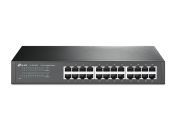
To meet different needs, network switches are available with a wide range of port counts. A small network switch may offer 4 to 8 ports, while more advanced, enterprise-grade LAN models can feature 24 or even more ports. For more information on selecting the right one, visit our network switches guide.
What Kind of Devices Can I Connect to the Switch?
Switches interconnect any Ethernet-enabled devices, including:
- IT infrastructure: servers, desktops, laptops
- Operational Technology: PLCs, HMIs, networked sensors
- Communication endpoints: VoIP phones, wireless access points (APs)
- Security systems: IP cameras, access control panels
What Is the Difference Between Network Switches and Hubs?
The primary distinction is intelligence. A hub (Layer 1) is a non-intelligent repeater that receives a frame and broadcasts it to all other ports, creating a single, large collision domain. A switch (Layer 2) is intelligent; it inspects the destination MAC address of each frame and forwards it only to the intended port. This creates per-port collision domains, enabling efficient, full-duplex communication and eliminating collisions.
What Switch Types Are Available on the Market?
Switches are categorised by their management capabilities and application environment:
- Unmanaged Switches: Plug-and-play devices with fixed configurations, ideal for simple or edge applications where traffic management is not required.
- Managed Switches (Layer 2/3): Offer a configuration interface (CLI/GUI) for granular control. Key features include VLANs (for traffic segmentation), QoS (for prioritisation), and (for Layer 3) inter-VLAN routing.
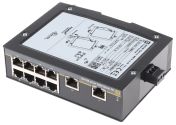
- Industrial Switches: Hardened, often fanless switches built for harsh OT environments. They feature IP-rated enclosures, redundant DC power inputs, and wide operating temperature ranges (-40°C to +85°C).
- Power over Ethernet (PoE) Switches: Delivers data and electrical power over a single Ethernet cable (per IEEE 802.3af/at/bt standards) to power devices like IP cameras, VoIP phones, and wireless APs.
Factors to Consider When Choosing a Network Switch
Selecting the correct switch requires analysis of several key parameters:
- Port Configuration: The required port count (density), port type (RJ45 copper, SFP/SFP+ for fibre), and speed (1G, 2.5G, 10G, or higher).
- Performance: The switching capacity (backplane speed) and forwarding rate (Mpps) must be sufficient to handle line-rate traffic across all ports without blockage.
- Management Level: Determine if an unmanaged switch suffices or if Layer 2/3 management is necessary for VLANs, QoS, routing, and security policies.
- Environment and Power: For industrial use, verify environmental specs (operating temperature, IP rating). Assess power needs, including the total PoE power budget and support for redundant power supplies (AC or DC).
Benefits of Using Network Switches in a Network
Switches fundamentally improve network performance by providing dedicated, full-duplex bandwidth to each port, which increases available bandwidth and eliminates the collisions inherent to hubs. Managed switches provide critical security and efficiency benefits by segmenting traffic (VLANs), applying access control (ACLs), and prioritising critical data (QoS). They also enable remote monitoring and diagnostics via protocols like SNMP.
How to Properly Install and Configure a Network Switch
A methodical process ensures stability and security.
- Physical Installation: Securely mount the switch (rack, wall, or DIN rail) ensuring proper ventilation and grounding. Connect network and uplink cables. Attach power, using redundant power supplies if supported and connecting them to independent sources.
- Configuration (Managed Switches): Access the switch via its console port or default IP address. Assign a static IP address, subnet mask, and default gateway for management. Critically, change default administrator credentials and set a strong, complex password. Configure system time (NTP) and a hostname for identification and accurate logging.
Industrial and Commercial Applications of Network Switches
Network switches are deployed across all modern industries.
- Manufacturing Automation: Connect PLCs, robotics, sensors, and vision systems.
- Energy and Utilities: Support SCADA systems and substation automation.
- Transportation: Enable railway signalling and traffic control networks.
- Data Centres: Provide reliable Top-of-Rack connectivity.
- Enterprise IT: Build scalable campus LANs with secure, efficient data flow.
The Leading Supplier and Distributor of Network Switches in Malaysia
RS is Malaysia's trusted partner for high-performance network switches. We provide a comprehensive portfolio from top-tier manufacturers, including MOXA, D-Link, and Siemens. Our inventory covers diverse specifications and industrial-grade form factors at competitive prices, ensuring you can source the ideal industrial Ethernet switch to meet your specific operational requirements.
We also support your complete setup by stocking other critical automation and computing peripherals, such as DIN rail adjustable power supplies and Ethernet cables, to optimise your systems. Procure your rack mount Ethernet switch, hardened DIN rail mount network switch, panel mount Ethernet switch, and all related accessories through our online platform today. For complete information on our ordering procedures, delivery options, and associated fees, please visit our dedicated delivery page.
Popular Searches
Related links
- TP-Link TL-SG1016, Unmanaged 16 Port Network Switch RJ-45
- Ethernet Connectors
- MOXA RM-G4000-8TX, Network Switch 8 Port Ethernet Switch RJ-45
- MOXA PM-7500-2GTXSFP, Network Switch 2 Port Ethernet Switch
- MOXA PM-7500-2MST, Network Switch 2 Port Ethernet Switch
- MOXA PM-7500-4MSC, Network Switch 4 Port Ethernet Switch
- MOXA IM-6700A-4SSC2TX, Network Switch 6 Port Ethernet Switch RJ-45
- MOXA IM-6700A-8SFP, Network Switch 8 Port Ethernet Switch