USB Cables
USB cables, or Universal Serial Bus cables, are widely used for connecting various electronic devices to each other or to a computer. They provide a standardised interface for data transfer, power supply, and peripheral connectivity in accordance with USB Implementers Forum (USB-IF) specifications. USB cables are available in different connector types and USB protocol versions, each designed to support specific devices, data speeds, and power requirements.
USB Cable Types and How to Identify Them
There are several varieties of USB cable connectors available, each designed for specific devices and data transmission standards.
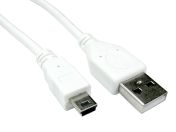
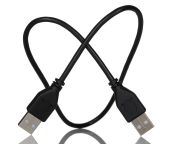
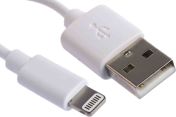
- USB Type-A: This is the most common USB connector and is rectangular in shape. USB Type-A data cables are most commonly used for connecting devices like computers, laptops, power adapters, and USB hubs to peripherals.
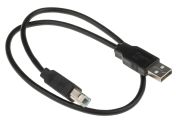
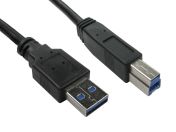
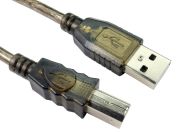
- USB Type-B: USB Type-B connectors are typically used for connecting printers, scanners, and other peripheral devices to computers. It has a square shape with bevelled corners to prevent incorrect insertion.
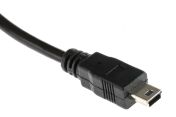
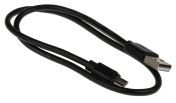
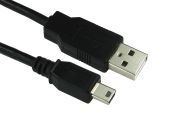
- Mini-USB: Mini-USB cables (Mini-A and Mini-B) were widely used in earlier generations of portable electronics but are now largely obsolete. These cables were commonly found in digital cameras, older smartphones, and other portable devices.
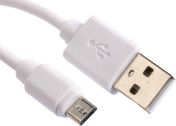
- Micro-USB: Micro-USB connectors are smaller than Mini-USB and more commonly used in various devices, including smartphones, tablets, digital cameras, Bluetooth speakers, and many other portable devices. They are not reversible, requiring correct orientation for insertion.
- USB Type-C: USB Type‑C is a newer, compact, and reversible connector now used on many modern laptops, phones, tablets, and docking solutions. USB‑C cables support data transfer, power delivery, and alternate modes such as DisplayPort or Thunderbolt, depending on the cable and device specifications, and can deliver significantly higher data rates and power levels compared to legacy USB connectors.
It's important to note that USB cables are manufactured to different USB specifications, such as USB 2.0, USB 3.0, USB 3.1, and USB 3.2, which determine their maximum data transfer speeds and power capabilities. The required USB cable depends on both the connector type and the supported USB standard of the connected devices.
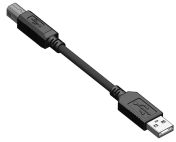
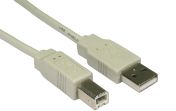
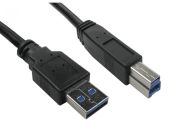
A single USB cable can also have different types of connectors on both ends. For example, a USB cable can have a Type-A connector on one end and a Type-B connector on the other. The nomenclature for these cables will depend on the connectors used, such as “USB A to USB B cable”.
You can identify the type of USB cable you have in several ways:
- Physical Shape: Examine the shape and size of the connectors.
- Colour Coding: Look for blue inserts inside the connector, which typically signify USB 3.0 or higher performance on a USB Type-A cable.
- Cable Markings: Examine the jacket or connector housing for labels such as "SS" (SuperSpeed) or Power Delivery (PD) ratings to confirm the version and speed capabilities.
Where Are USB Cables Used?
USB cables are used for a variety of purposes, including:
- Data Transfer: USB cables allow you to transfer data between devices, such as transferring files between a computer and a smartphone, syncing data between a digital camera and a computer, or connecting external storage devices like USB flash drives or external hard drives to a computer.
- Charging Devices: USB cables are commonly used for charging devices like smartphones, tablets, smartwatches, Bluetooth speakers, and other portable electronics.
- Peripheral Connectivity: USB cables are used to connect various peripheral devices to a computer, such as printers, scanners, keyboards, mice, game controllers, webcams, and external monitors.
- Firmware Updates: Many electronic devices, including smartphones, cameras, and gaming consoles, may need to be plugged in via a USB cable to receive firmware updates to enhance functionality or address security issues.
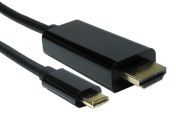
- Audio and Video Output: Certain USB-C cables support audio and video transmission using alternate modes, depending on device and cable compatibility.
- Programming and Debugging: USB cables are widely used for programming microcontrollers, development boards, and test instruments, providing both data and power during development or field service.
For more information check out our Ultimate Guide to USB Cables.
How to Choose the Right USB Cable
Selecting the correct USB cable involves more than matching the connector. You must ensure the cable's internal specifications meet your data and power requirements. Here’s what to look out for:
- Match the Connector Types: Ensure both ends of the cable align with your hardware, such as a USB cable A to B for printers or a USB cable C to B for modern high-speed peripherals.
- Verify the USB version: Check if you need USB 2.0 for simple tasks or a USB A data cable rated for USB 3.0 and above to achieve faster SuperSpeed data transfers.
- Consider Power Delivery (PD) Needs: If you are charging high-performance laptops or tablets, ensure the USB C cable is rated for the necessary wattage (e.g., 60W or 100W).
- Assess the Cable Length: Choose a length that allows for flexibility without excessive slack, keeping in mind that very long USB cable runs may require active amplification to prevent signal degradation.
- Look for Shielding and Durability: In electrically noisy or industrial environments, select USB cables with proper shielding, strain relief, and reinforced connectors to minimise interference and mechanical failure.
Industrial Applications of USB Cables
USB cables are not just consumer products, but are also ubiquitous in Malaysia's industrial sectors.
- Industrial Automation: A USB Type-A cable is frequently used to interface between industrial PCs and programmable logic controllers (PLCs) for configuration and monitoring.
- Medical Devices: USB cables connect diagnostic equipment, such as ultrasound scanners and patient monitors, to central data logging systems.
- Transportation: Fleet management systems utilise a USB A data cable to connect GPS tracking units and mobile data terminals to the vehicle's onboard computer.
- Research and Development: Engineers use USB Mini-B, Micro-USB, and USB Type-C cables to connect oscilloscopes and logic analysers to workstations for real-time signal analysis.
- Factory Environments: Within production lines, USB cable Type-B is often used to connect I/O devices and human-machine interfaces (HMIs) to automated control systems.
- Audio/Video (A/V) and Imaging: Professional-grade USB C cables are essential for high-definition camera tethering and high-bandwidth video capture in broadcasting.
- Telecommunications: Field technicians use a USB to lightning cable or Micro-USB to interface with handheld testing equipment and network diagnostic tools.
- Data Communication: USB cables can be used in specialised bridging applications to transfer files between two independent computer systems or LAN-connected nodes.
Supplier and Distributor of USB cables in Malaysia
RS is a premier supplier and distributor of USB data cables in Malaysia. We carry a wide range of USB cable types, from USB A to type B, type C, mini-USB and more. Our inventory consists of highly rated USB cables from StarTech.com, Bulgin, L-Com, and more, suitable for both commercial and industrial applications.
In addition to USB cables, RS also supplies complementary computer and data cables including KVM cables, SATA cables, and Thunderbolt cables to support complete connectivity solutions.
For more information on our delivery options and fees, please visit our delivery page.

Popular Searches
Related links
- StarTech.com USB Cables
- The Ultimate Guide to USB Cables by StarTech.com
- USB Type B Cables
- L-Com Straight Plug- Single Port Type Type A, Type B USB Connector
- ASSMANN WSW Right Angle Socket Type B USB Connector
- ASSMANN WSW Straight, Cable Mount Type A IP67 USB Connector
- USB Extension Cables
- ASSMANN WSW Straight Plug- Single Port Type B USB Connector